

Attendance and payroll software for a factory with 80 workers and a biometric machine
A factory with 80 workers and a biometric machine needs software that does four things. It should take each punch from the machine as it happens, handle day and night shifts, pay overtime by your own rule, and turn the month's attendance into salary without a spreadsheet. Staff Khata does all four with Realtime biometric machines on the Growth plan, at ₹0.50 per worker per day. For 80 workers that is ₹1,200 a month before GST, with up to 50 machines connected. The free Starter plan covers up to 50 users and one machine, so it only suits a smaller unit.
By Staff Khata. Published 23 November 2026.
What does a factory with 80 workers need from attendance and payroll software?
At this size the problems are rarely about the machine itself. They are about what happens after the punch:
- Punches reaching the office on time. Copying a USB log every week means disputes surface only at month end.
- Shifts that cross midnight. A night shift from 10 PM to 6 AM must count as one working day, not two half days.
- Overtime by your rule. Extra hours need to be paid the way you agreed with workers, not worked out by hand.
- Salary from attendance. Present days, half-days, absences, paid leave and overtime should reach payroll without retyping.
The sections below follow that order: machine, shifts, overtime, salary, cost.
How do punches get from the biometric machine into the software?
Staff Khata works with Realtime biometric machines only. The machine sends each fingerprint or card punch over the internet, and it reaches Staff Khata within seconds. Setup takes four steps from the web dashboard:
- Connect the machine to the internet (LAN or Wi-Fi) and enter the Staff Khata server address in the machine's Comm. or Cloud Service menu. Device Setup → Manage Devices → How to connect lists the address for each machine type.
- Add the machine by its serial number and give it a name such as "Main Gate". It shows Online when Staff Khata has heard from it in the last 5 minutes.
- Send employees to the machine from Users Synchronization. If the machine already has users, Import from device brings them in.
- Enrol each worker's fingerprint or RFID card from the employee list while the machine is online.
If the internet drops, the machine keeps its punches. When it is back online, you can download up to 90 days of stored punches at a time. A machine that cannot go online at all can export its log over USB, and you import the file. On lower plans, Data Download and log import can be locked as part of advanced reports.
For more on the machine side, including QR punches, read attendance software that works with Realtime biometric machines.
How are night shifts and rotating shifts handled?
A shift in Staff Khata has a start time, an end time, grace minutes and weekly offs. A shift that ends after midnight is marked "ends the next day" and counted as one shift. Your workspace starts with a General Shift and a Night Shift, which you edit to match your hours.
- Weekly offs: full or half day, every week or only in the 1st, 2nd, 3rd, 4th or last week. For example, Sunday every week plus the 2nd and 4th Saturday.
- Shift roster: assign a shift to employees or whole departments for one day, a date range or picked dates. It applies from that date until you assign another.
- Shift planner: fill a week or a month for a department at once, with Fill range (skip weekly offs).
- Different timings for the floor: create a second office time policy, for example with different grace or half-day hours, and assign it to factory workers only.
More than one shift is on the Growth plan. See shift roster and overtime software for the full list.
How is overtime calculated from punches?
Turn on Enable Overtime Tracking, and Staff Khata records hours worked beyond the shift from the punches. An overtime rule then decides how those hours are paid:
- Multiple of pay, for example 1.5 × hourly pay
- Percent of pay, for example 150% of hourly pay
- Fixed amount per hour
Each rule applies to all employees or to chosen departments. It also counts only hours inside a band you set, for example 1 to 4 hours. The monthly OT Summary report lists overtime hours per worker, and payroll adds the overtime on its own. To estimate what overtime costs you before you set a rule, try the free overtime cost analyzer.
How does attendance become salary?
Payroll reads the month's attendance, leave, holidays, late marks and overtime, and works out each worker's pay. Here is the monthly routine:
- Set the salary cycle, and switch on PF and ESI with your contribution rates, under Company → Payroll & Tax.
- Give each worker a salary structure: a monthly or weekly cycle, and fixed, variable or commission-based pay.
- Click Bulk Generate for each department. More Columns shows the working days, loss-of-pay days, weekly offs, holidays and paid leave behind each salary.
- Correct any row, then settle the salaries and export the month to Excel or PDF for your accountant.
Daily-wage and contract teams can be paid weekly through Weekly Pay Process, for one worker or a whole department. Salary advances are recorded against the month, so they are tracked when salary is paid. Each payslip shows the attendance summary, earnings, deductions and net pay in words. For the payroll side in detail, see payroll software that starts from attendance.
What does it cost for 80 workers?
| Plan | Users | Machines | Payroll and shifts | Cost for 80 workers |
|---|---|---|---|---|
| Starter | Up to 50 | 1 | No (attendance and daily report only) | Not enough for 80 |
| Growth | Up to 750 | Up to 50 | Yes | ₹1,200 a month, or ₹12,000 a year billed yearly |
| Pro HRMS | Up to 1,000 | Up to 50 | Yes, plus HRMS and field tracking | ₹2,400 a month |
Prices exclude GST, and you are billed for active employees only. A new account starts with a 15-day free trial with every feature unlocked and no credit card. Current prices are on the pricing page.
Who is this for, and who is it not for?
A good fit: factories and units with roughly 50 to a few hundred workers. They punch on Realtime fingerprint or card machines, work day and night shifts, and the owner wants salary to come straight from attendance. It also suits units where office staff punch on their phone with a selfie and GPS while the floor uses the machine.
Not a fit:
- Your gate already has a biometric machine from another brand and you won't change it. Staff Khata reads Realtime machines only. Workers could punch with a selfie and GPS on their phone instead.
- You need more than 1,000 users. That is an Enterprise plan, priced on request.
- You want someone to file PF, ESI or tax returns for you. Staff Khata does not file returns for you.
The factory attendance and payroll page has a shorter overview.
Frequently asked questions
Can workers with worn fingerprints still punch at the machine?
Yes. On the Growth plan a worker can show a QR code from the Staff Khata app, and a Realtime machine with a QR scanner reads it. The code changes every 40 seconds, so a screenshot cannot be reused. No fingerprint enrolment is needed. See QR code attendance.
Will I know if the machine stops sending punches?
Yes. Device Health Alerts send a WhatsApp message when a Realtime machine goes offline. You turn them on in the Notifications tab, along with a daily attendance summary.
Can supervisors and workers use the app in Hindi?
Yes. Staff Khata works in 55 languages, and each user picks their own, so the owner can use English while supervisors use Hindi or Marathi.
Can I connect machines at two factory gates or two units?
Yes. Growth and Pro connect up to 50 machines. Users Synchronization can copy workers from one online machine to another.
More from StaffKhata
 Nov 23, 2026 • 1 min read
Haziri aur tankhwah ka hisaab: 20 कर्मचारियों के लिए हाज़िरी और सैलरी ऐप
फ़ोन से सेल्फ़ी + GPS हाज़िरी, उसी से सैलरी, और पूरा ऐप हिंदी में। 20 कर्मचारियों के लिए Growth प्लान ₹300 महीना, GST अलग।
 Nov 23, 2026 • 6 min read
Leave management for a small business: leave types, balances and approvals
Define leave types with carry-forward and approval rules, see allowed, used and left for each employee, and approve requests from the app in one click.
 Nov 23, 2026 • 6 min read
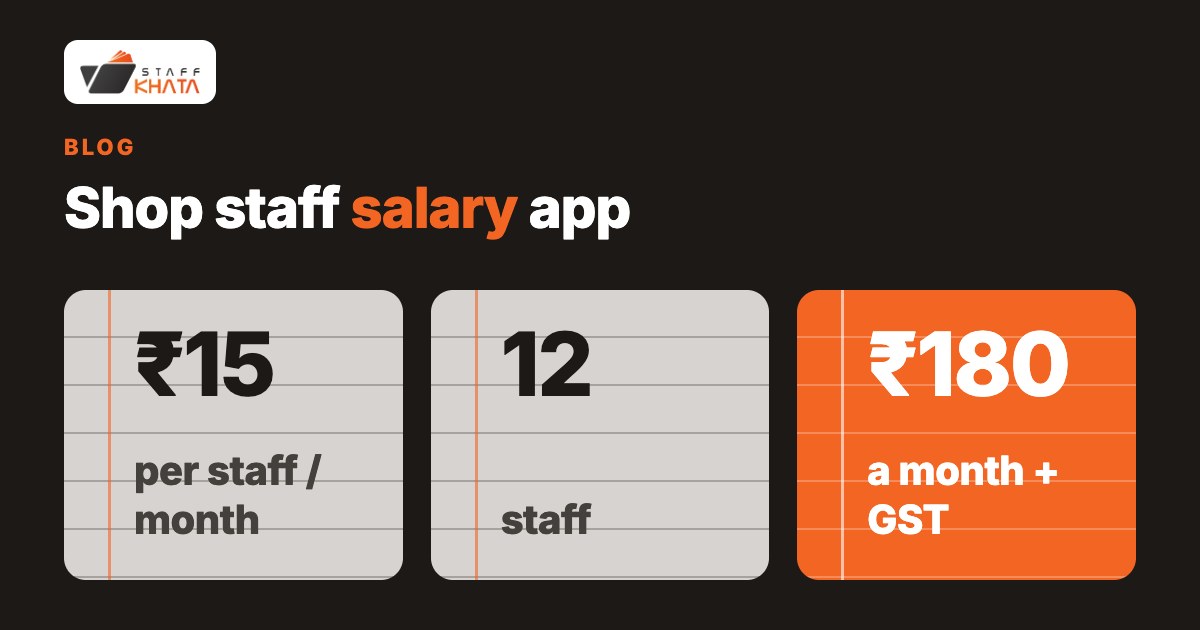
Attendance and salary app for a shop with 12 staff: setup and cost
Selfie + GPS punch at each shop, salary worked out from attendance, and payslips for 12 staff at ₹180 a month on the Growth plan before GST.