
Journey Tracker
Every field employee, live on one map.
Staff record their trips on the Staff Khata app. You watch them move, see each stop with its note and bill, and replay the route in 3D. Try it below.
Part of Pro HRMS at ₹1 per employee per day. Every feature free for 15 days.
Sample data, sped up · drag to turn, tap a dot to follow
Three taps a trip
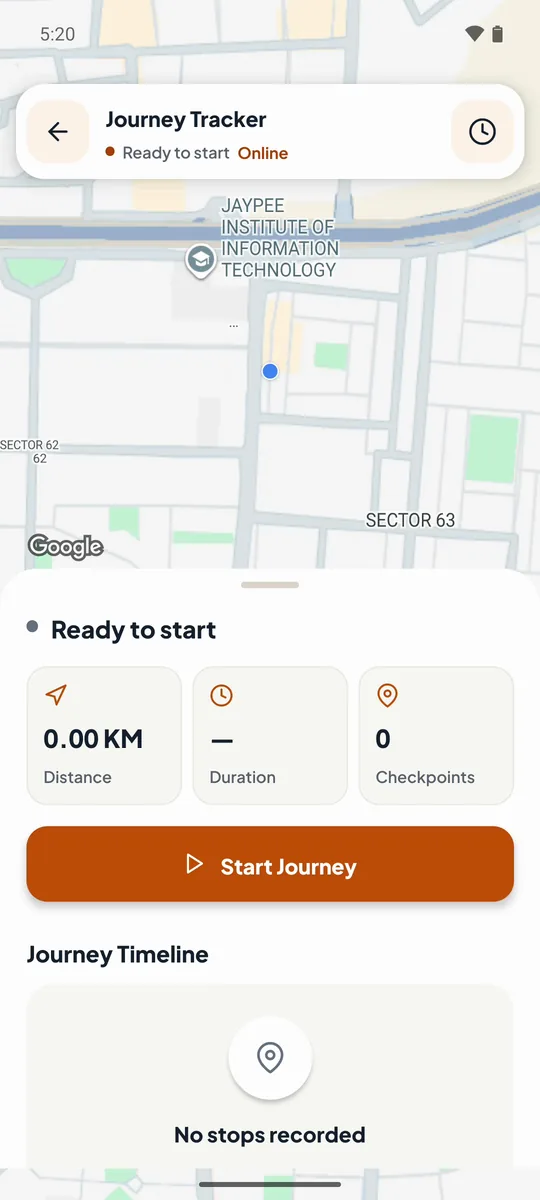
Start Journey
Staff tap Journeys on the Home screen, then Start Journey. Or it starts by itself at punch-in. The trip keeps recording with the app in the background.
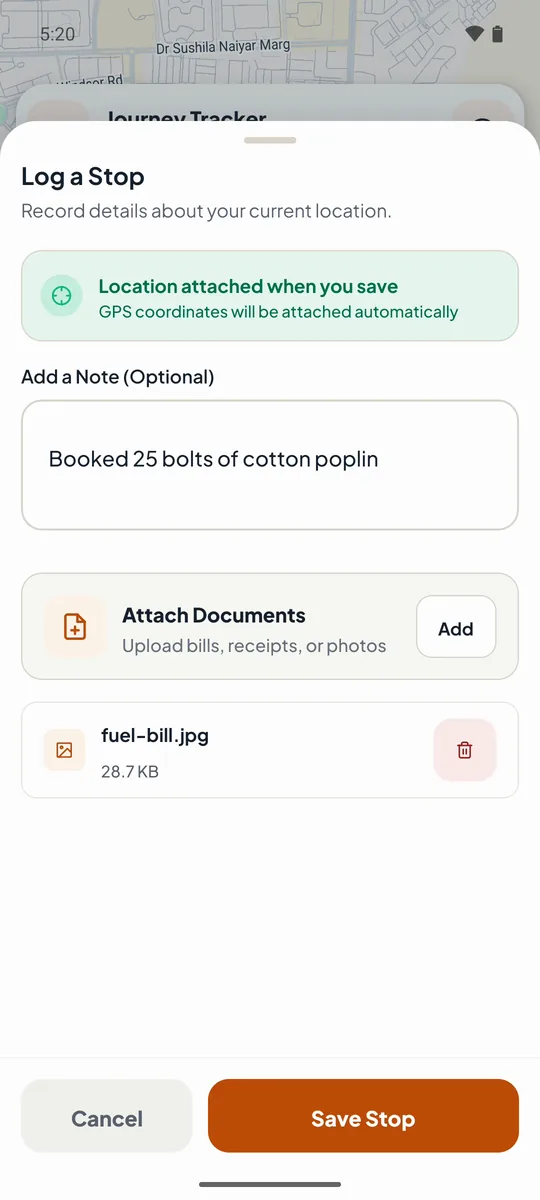
Add Checkpoint
At each customer: Add Checkpoint. The location is attached automatically; add a note and a photo of the bill, then Save Stop. End Trip when the day is done.
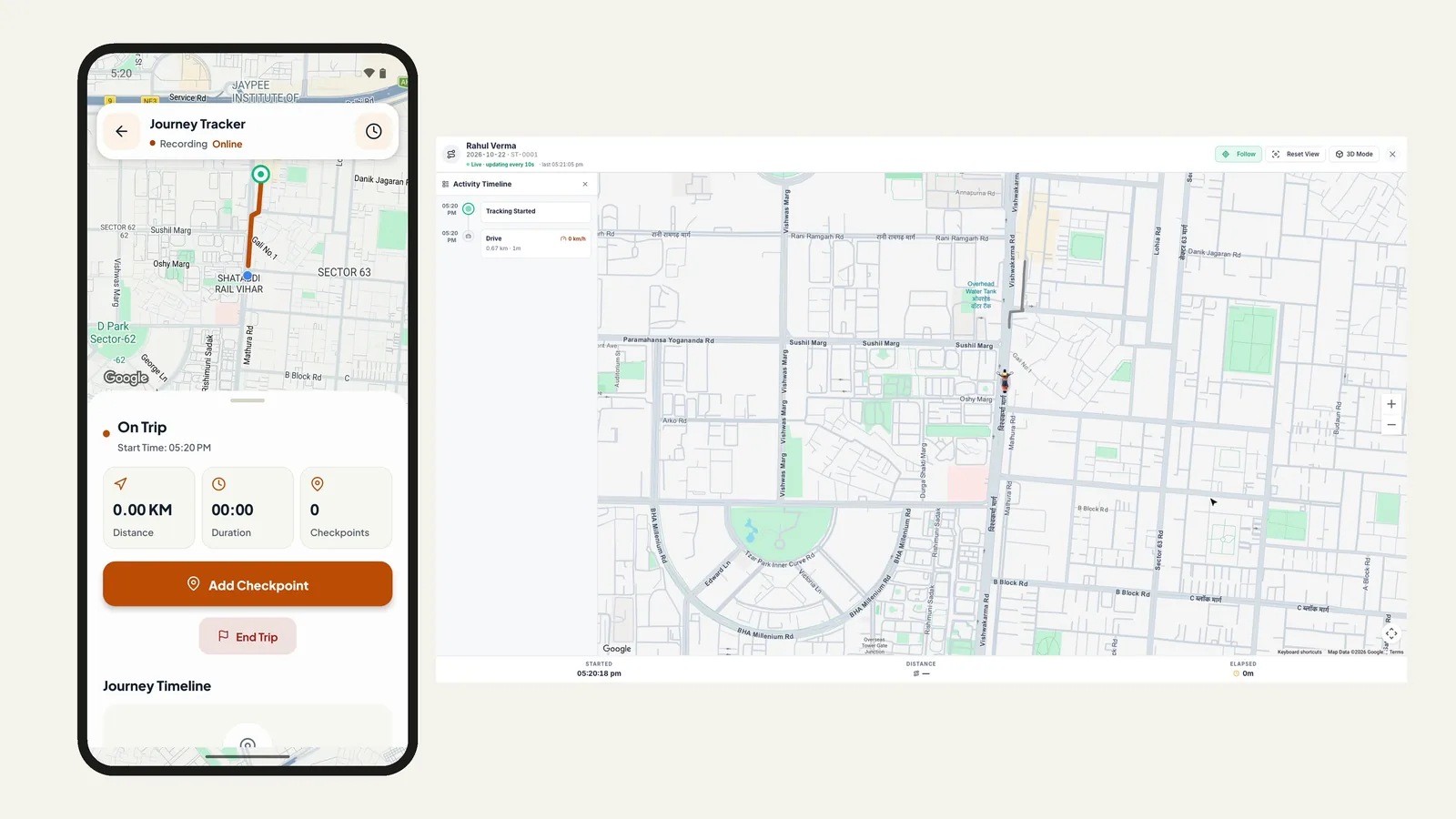
Watch live. Check the day after.
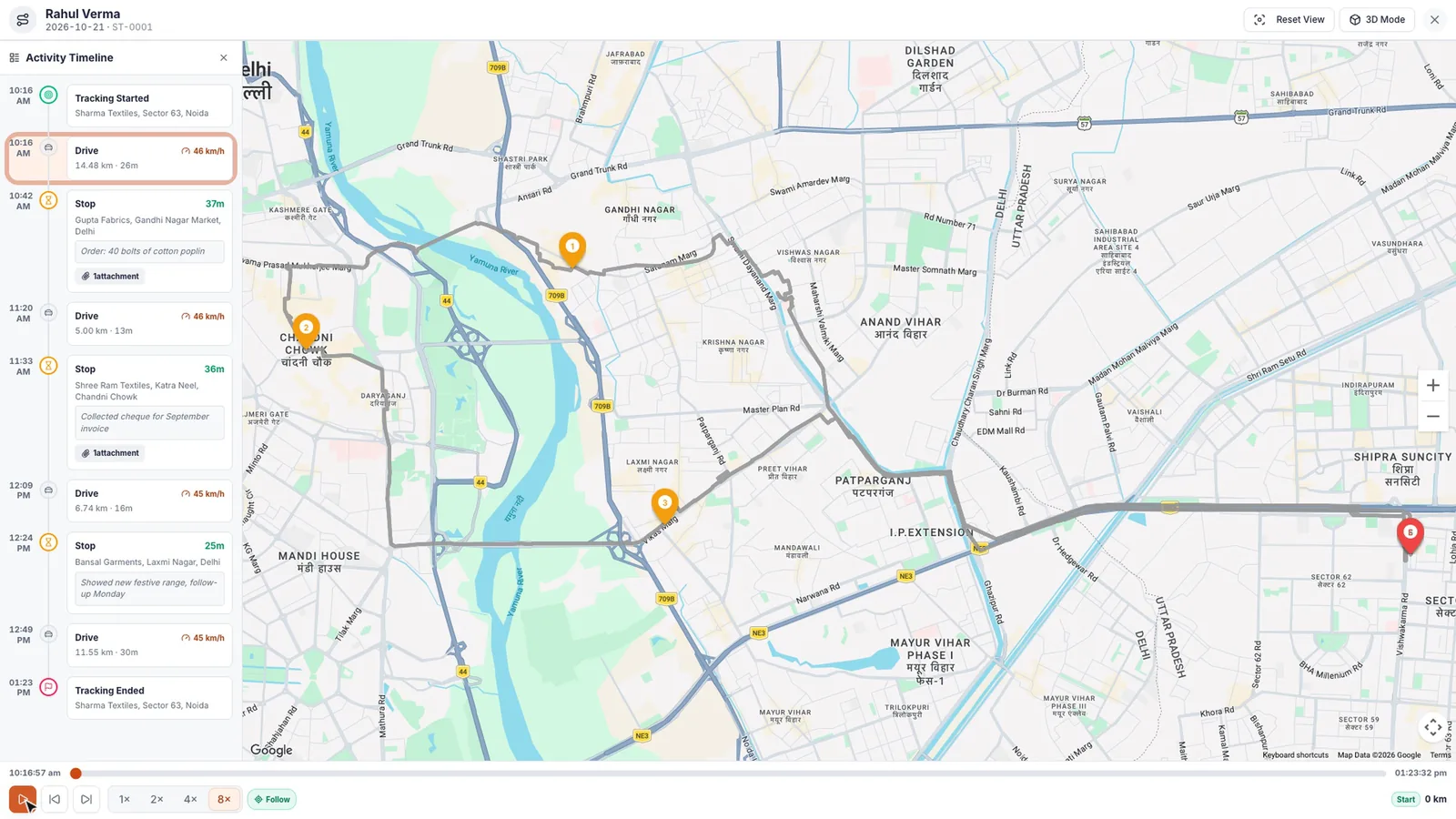
Replay any route
View route draws the whole trip with numbered stops. Play it at 1×, 2×, 4× or 8×, in 3D Mode or Satellite.
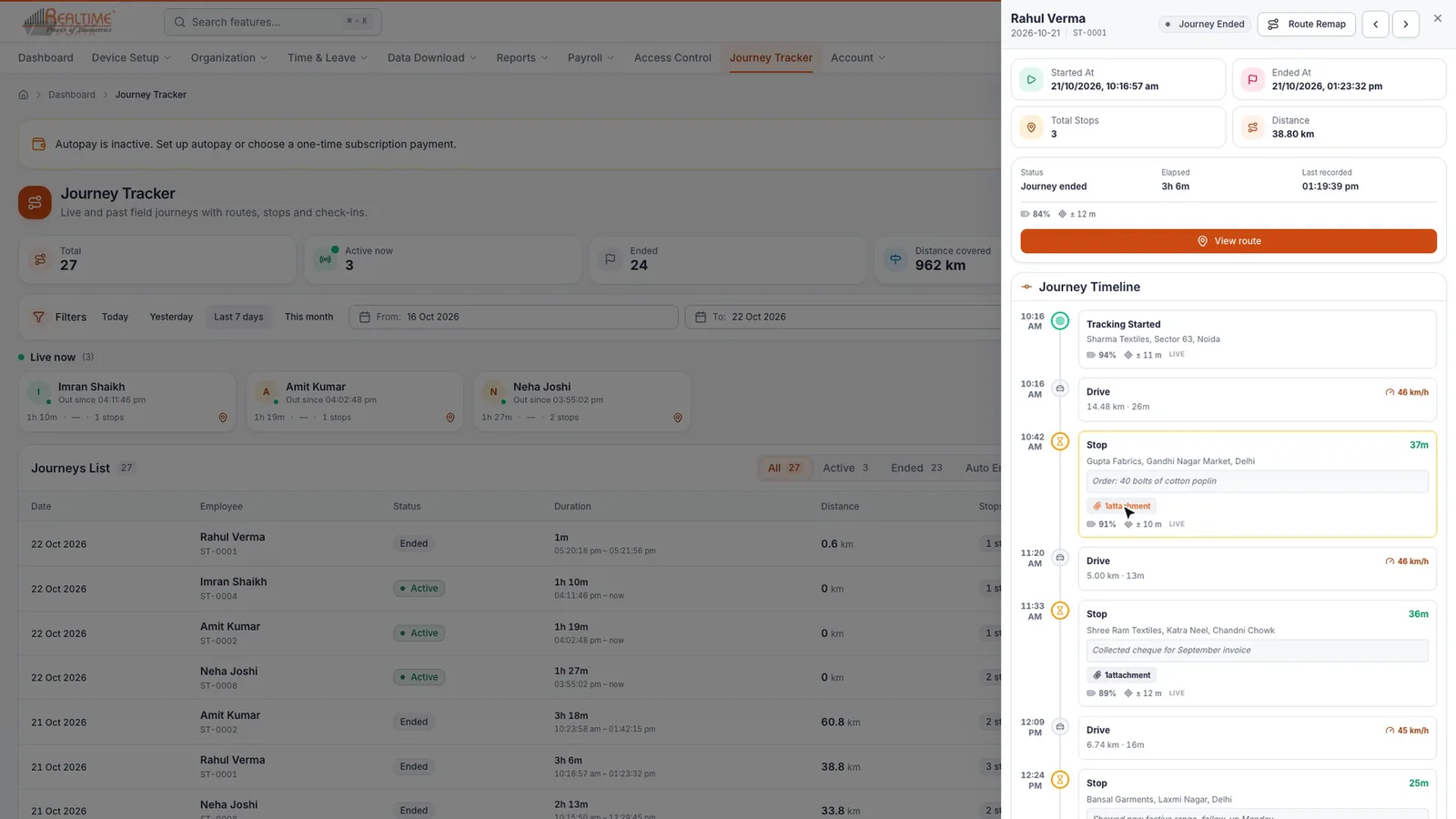
Every drive and stop, timed
The Journey Timeline lists each drive and each stop with how long it lasted, plus the notes and bills from every checkpoint.
Settings you control
| Setting | What it does |
|---|---|
| Enable Live Location Feed | Sends location updates while an employee’s journey is running. |
| Location Update Interval | How often the phone sends its location, from 1 to 60 seconds. Shorter intervals use more battery and data. |
| Start Journey on Punch-In | Starts a journey automatically when the employee punches in on the app. |
| Automatic Start Applies To | All departments, or selected departments only. |
The phone sends its location only while a journey runs. Step-by-step setup is in the Journey Tracker chapter of the manual.
Frequently asked questions
What is Journey Tracker in Staff Khata?
Journey Tracker records trips made by staff who work on the road. The employee starts a journey on the Staff Khata app, adds a checkpoint at each stop and ends the trip, and you see the route, the stops and the bills in the web app.
Can I see all my field staff on one map at once?
Yes. Click Live Locations in Journey Tracker to see every employee on a trip on one map. Open one journey to follow that employee as new locations arrive, with an Activity Timeline beside the map.
Can a journey start automatically when staff punch in?
Yes. Turn on Start Journey on Punch-In and choose all departments or selected departments. Employees can still start a journey by hand from the Journeys button on the app.
Can I view a route in 3D?
Yes. Open a journey, click View route and press play at 1×, 2×, 4× or 8× speed. 3D Mode tilts the map for a closer look at the streets, Satellite switches to satellite view and Reset View brings the map back.
What does the journey history show?
Filter by date or employee to see Total journeys, Active now, Ended, Distance covered and Avg. duration. The All, Active, Ended and Auto Ended tabs filter the list, and Export downloads it.
Which plan includes Journey Tracker?
Journey Tracker is part of the Pro HRMS plan at ₹1 per employee per day. Every feature is unlocked for 15 days when you sign up, no credit card needed.
See your field team move, live.
Every feature unlocked for 15 days. Journey Tracker is part of Pro HRMS at ₹1 per employee per day.