
Manager panel
Let team leads look after their own team
Give team leads their own panel to see their team, check daily attendance and punches, and approve leave. Leave needs both the manager and HR to approve.
The Manager role is part of the Pro HRMS plan at ₹1 per employee per day. Every feature free for 15 days.
How Staff Khata does it

Manager role
Set System Role to Manager on the employee's Employment step.

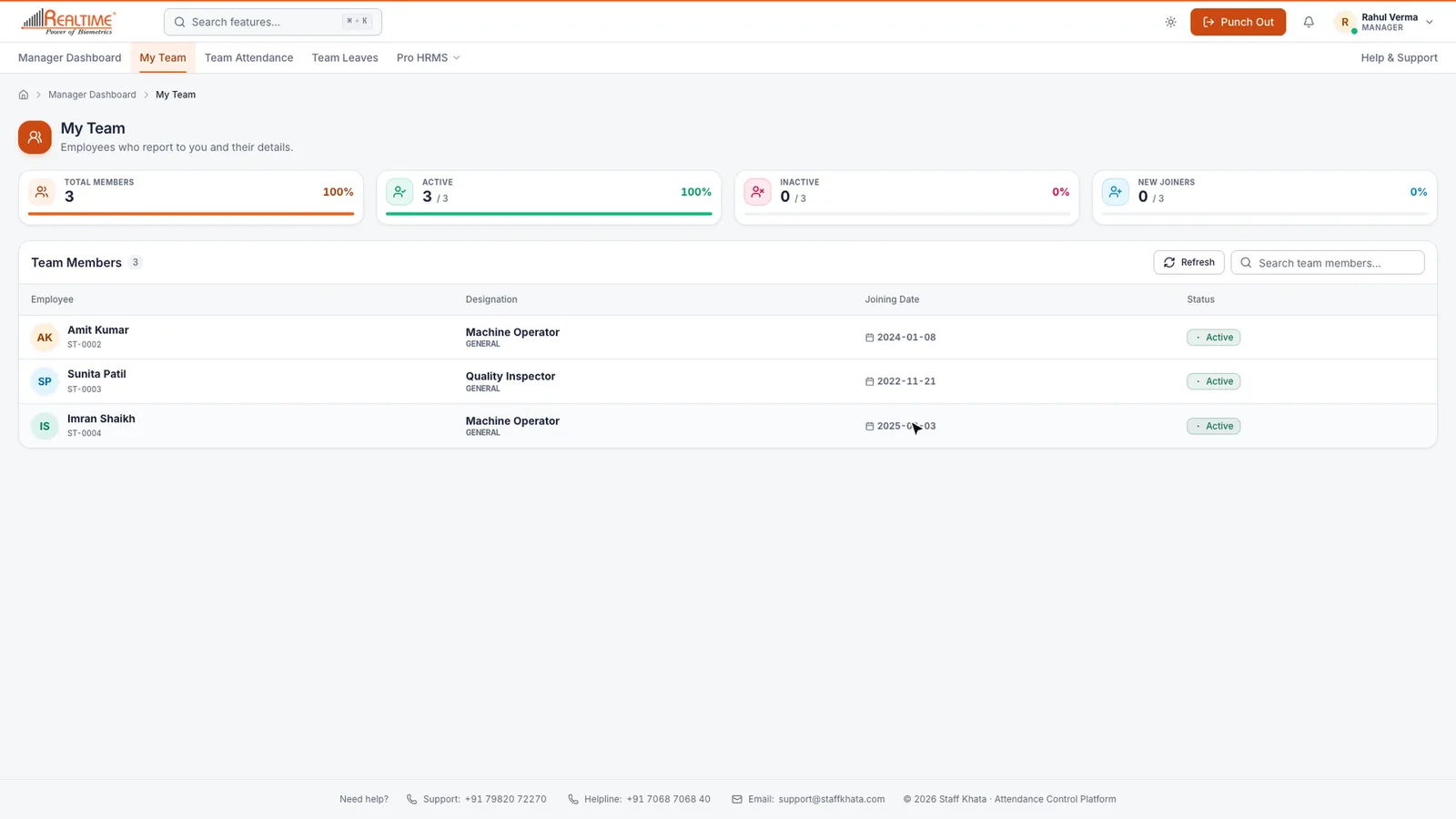
My Team
Everyone who reports to them, with designation, joining date and status.

Team Attendance
The team's daily attendance and punches, plus correction requests to review.

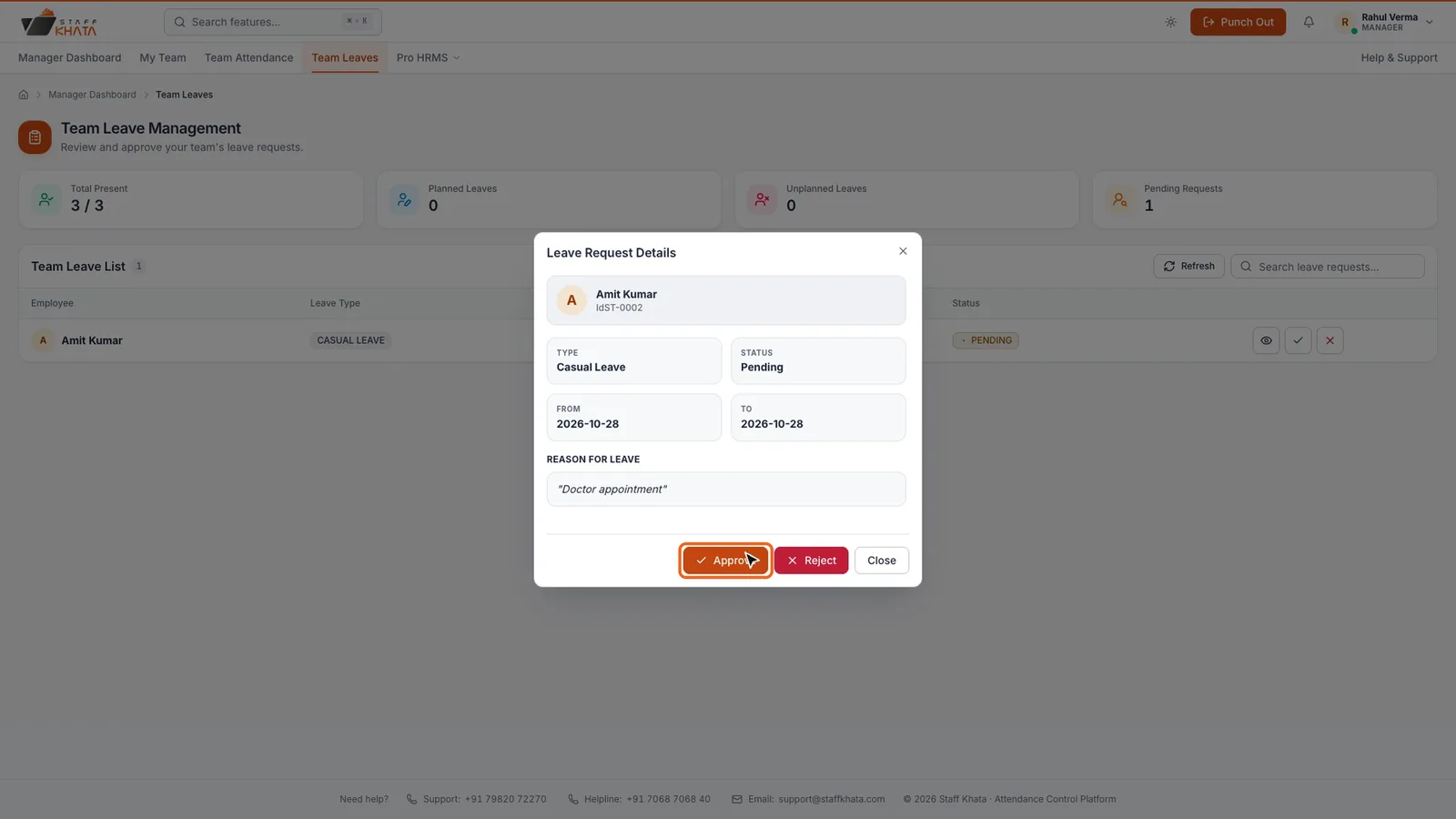
Team Leaves
Open a request, then Approve, or Reject with a reason.

Two-step approval
Manager first, then HR gives the final approval.

Set by reporting manager
A manager's team follows the Reporting Manager field.
In short
With Pro HRMS you can set an employee's System Role to Manager. Their team is everyone whose Reporting Manager is that person. Managers land on the Manager Dashboard, with My Team, Team Attendance and Team Leaves. A leave needs both the manager and HR to approve it: after the manager approves, it shows Approval Pending from HR until HR gives the final approval, and if either one rejects it, the leave is rejected.
The Manager role is part of the Pro HRMS plan at ₹1 per employee per day.See plans
See it in the real app
Set up in 4 steps
Step 1: Edit the employee and set System Role to Manager.
Step 2: Set Reporting Manager on each team member's Employment step.
Step 3: The manager signs in to the Manager Dashboard.
Step 4: They approve leave in Team Leaves; HR gives the final approval.
Frequently asked questions
Can a team lead approve leave in Staff Khata?
Yes. Set their System Role to Manager. They approve or reject their team's requests in Team Leaves, and HR gives the final approval.
What happens after the manager approves a leave?
The request shows Approval Pending from HR until HR gives the final approval. If either the manager or HR rejects it, the leave is rejected.
Which plan includes the Manager role?
The Manager role is part of Pro HRMS, at ₹1 per employee per day. The Manager option appears in System Role only when Pro HRMS is active.
Read the manual
Related free tools
Attendance to salary, in one app
Every feature unlocked for 15 days. Free forever for attendance up to 50 staff.