
Org Tree
See who reports to whom, at a glance
Build your org chart position by position, link each one to an employee, keep vacant roles for open hiring, and let staff see who reports to whom.
Org Tree is part of the Pro HRMS plan at ₹1 per employee per day. Every feature free for 15 days.
How Staff Khata does it

Position by position
Start with Create First Position, then add direct reports under each one.

Linked to employees
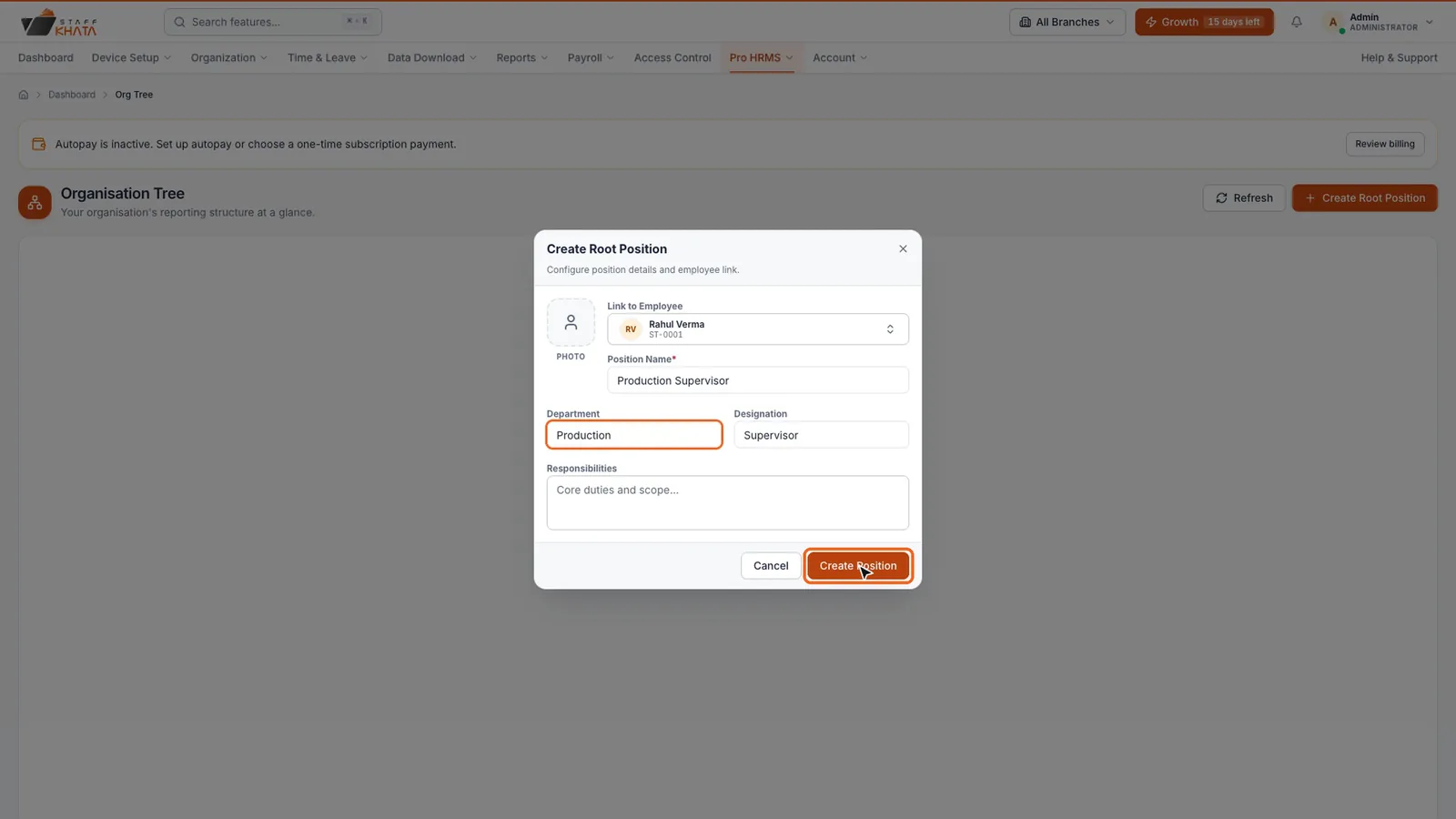
Each position links to an employee, with department and designation.

Vacant roles
Keep a position open until you hire for it, so the plan is visible.

Responsibilities
Add what each position is responsible for, and a photo if you like.

My Org Tree for staff
Employees see the tree in their own panel.

Pairs with managers
Make team leads Managers so they look after their own people.
In short
Org Tree in Staff Khata Pro HRMS shows your reporting structure. Create the first position, link it to an employee and give it a position name, department and designation, then use Add Direct Report to build the tree downwards. A position can stay vacant until you hire for it, and employees see the tree under My Org Tree.
Org Tree is part of the Pro HRMS plan at ₹1 per employee per day.See plans
See it in the real app
Set up in 4 steps
Step 1: Open Pro HRMS → Org Tree and click Create First Position.
Step 2: Link the employee and enter position name, department and designation.
Step 3: Click Add Direct Report on a position to build the tree downwards.
Step 4: Leave a position vacant until you hire for it.
Frequently asked questions
How do I make an org chart in Staff Khata?
Open Pro HRMS → Org Tree, click Create First Position, link an employee and fill in the position name, department and designation. Then click Add Direct Report on any position to add the people under it.
Can a position be vacant?
Yes. A position can stay vacant until you hire for it.
Which plan includes Org Tree?
Org Tree is part of Pro HRMS, at ₹1 per employee per day.
Read the manual
Related free tools
Attendance to salary, in one app
Every feature unlocked for 15 days. Free forever for attendance up to 50 staff.