
Assets
Know which employee has which laptop, phone or tool
Keep a register of company laptops, phones and other assets with serial numbers, assign them to employees, and see who held each one in the assignment history.
Assets is part of the Pro HRMS plan at ₹1 per employee per day. Every feature free for 15 days.
How Staff Khata does it

Asset register
Laptops, phones and other property with type, name and serial number.

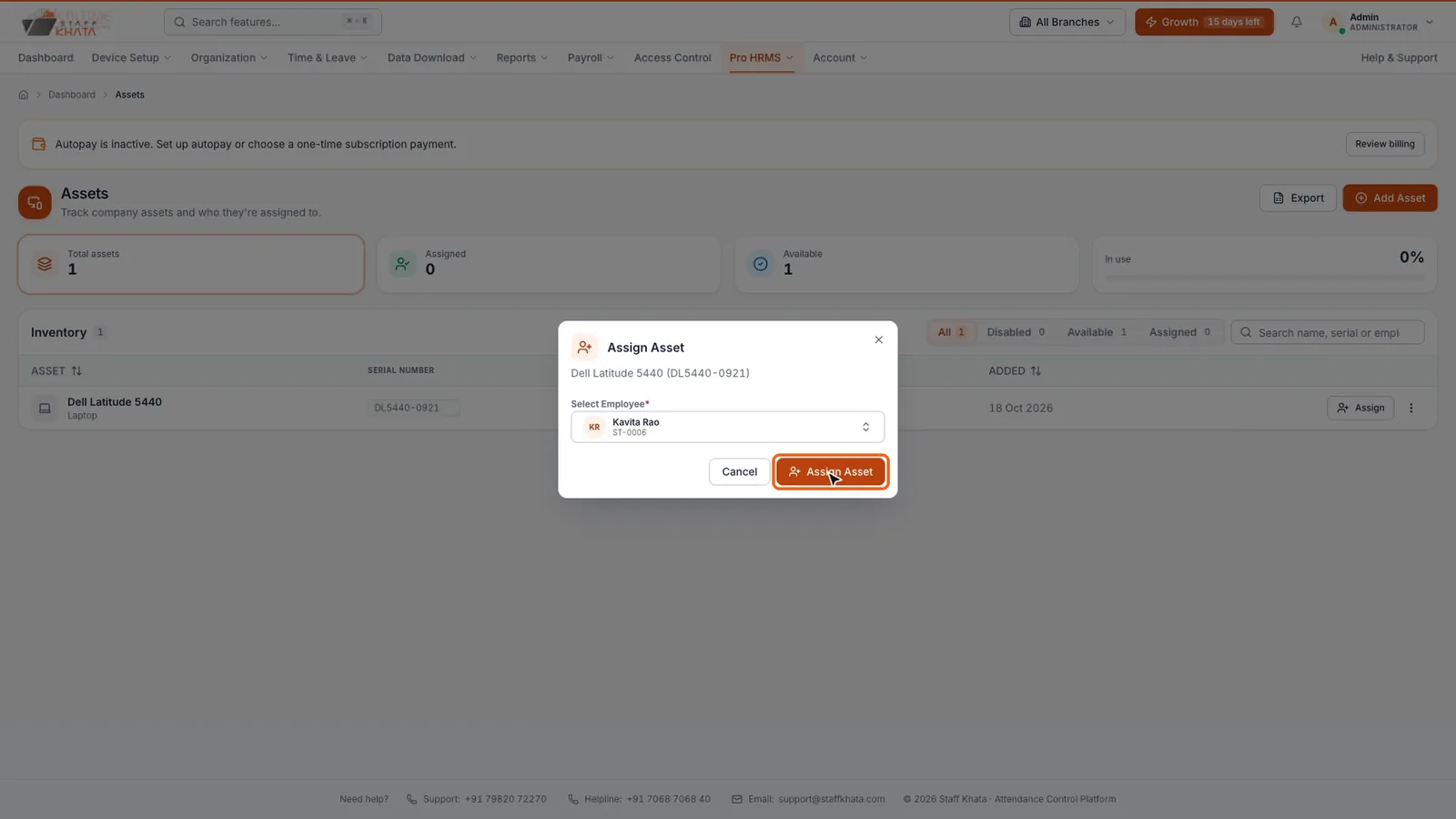
Assign in two clicks
Click Assign on an asset, pick the employee, done.

Assignment history
Every past holder of each asset, for audits and disputes.

My Assets for staff
Employees see what is assigned to them in their own panel.

Clean exits
Check what a leaving employee holds before full and final settlement.

On the Pro app too
Assets are also in the Staff Khata Pro mobile app.
In short
Assets in Staff Khata Pro HRMS is a register of company property. Add an asset with its type, name and serial number, then assign it to an employee from the inventory list. Each asset keeps an assignment history of who held it and when, and employees see what they hold under My Assets, which makes handover at exit simple.
Assets is part of the Pro HRMS plan at ₹1 per employee per day.See plans
See it in the real app
Set up in 4 steps
Step 1: Open Pro HRMS → Assets → Add Asset.
Step 2: Pick a type, enter the asset name and serial number, and save.
Step 3: In the Inventory list, click Assign and choose the employee.
Step 4: Check the Assignment History whenever an asset changes hands.
Frequently asked questions
Can I track which employee has a company laptop?
Yes. Each asset is assigned to an employee, and its assignment history shows everyone who has held it.
Can employees see their assets?
Yes. Employees see what is assigned to them under My Assets.
Which plan includes asset tracking?
Assets is part of Pro HRMS, at ₹1 per employee per day.
Read the manual
Related free tools
Attendance to salary, in one app
Every feature unlocked for 15 days. Free forever for attendance up to 50 staff.