
Attendance reports and government registers
Plan: All plans
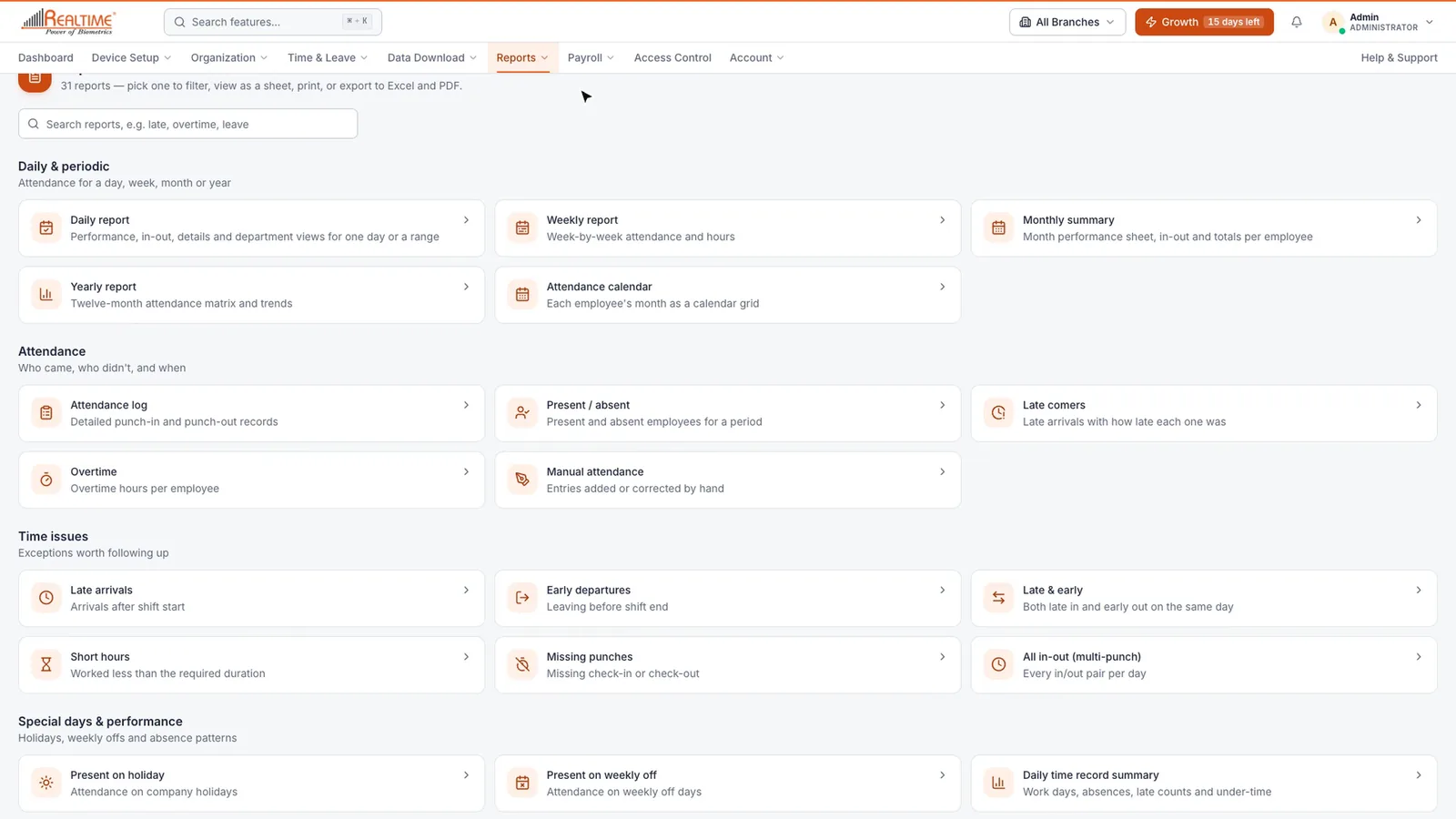
Staff Khata has more than thirty reports, from today's attendance to the statutory registers an inspector asks for. Every report can be filtered, viewed as a print-ready sheet, and exported.
Plan needed: The Daily report works on every plan. Weekly, Monthly and Yearly reports, the Attendance Calendar, AI Analysis and the other detailed reports need a paid plan with advanced reports. Government Reports also need payroll. See Billing & Plan for current plans.
Find a report
- Click Reports → All reports. Reports are grouped by what you want to know: daily and periodic, attendance, time issues, special days, teams, leave, devices, and compliance.
- Type in the search box to narrow the list. For example, type late to see every report about late arrivals.
Daily report
- Click Reports → Daily.
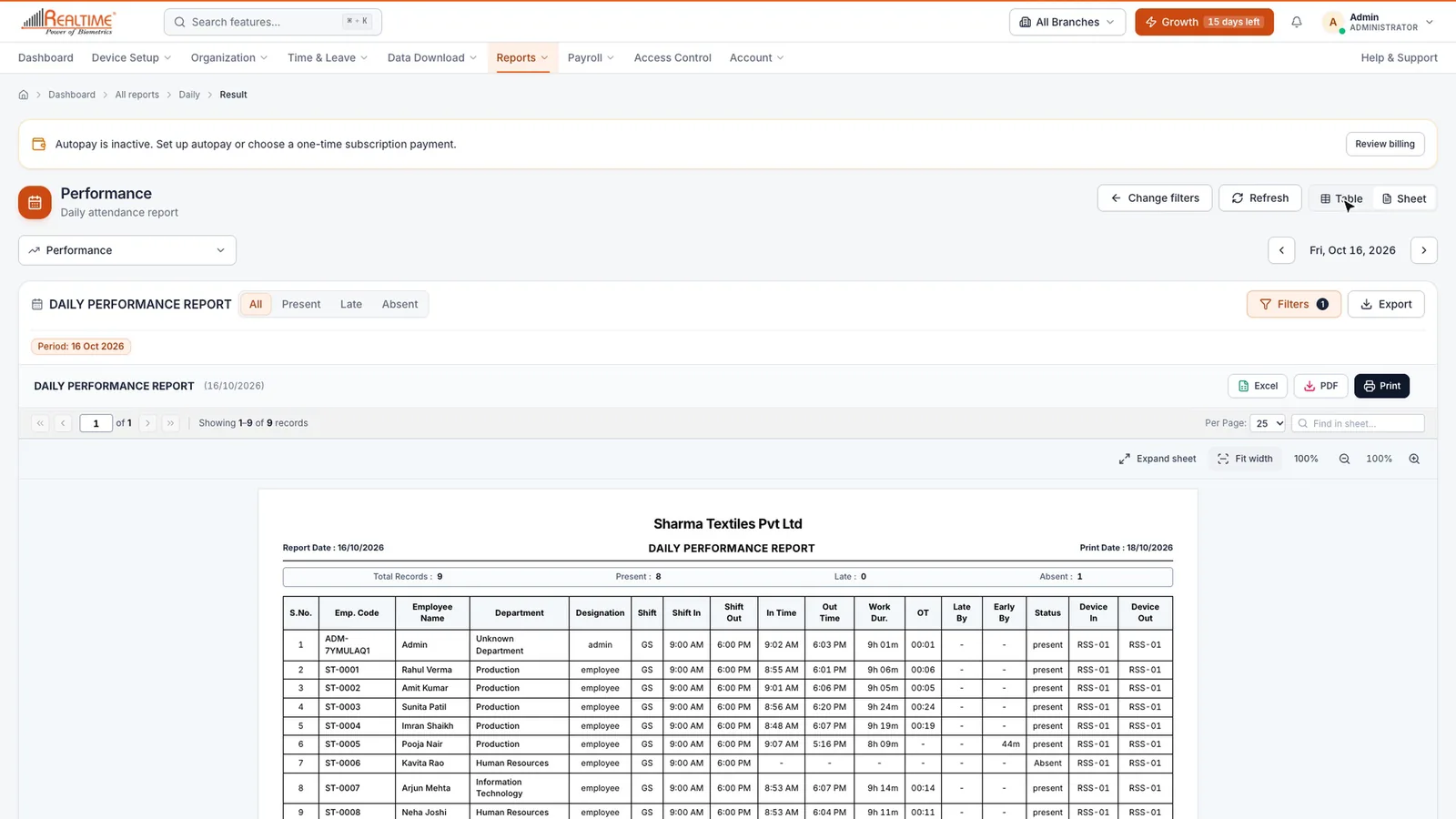
- Pick a report type (for example Performance, Late Arrival, Absent or Missing Punch), the date, and who to include: branches, departments, designations or single employees.
- Click View Report.
On the result:
- Use the arrows next to the date to step back or forward a day.
- Click All, Present, Late or Absent to filter.
- Click Sheet for a print-ready layout with your company name, the date, and each employee's in time, out time and hours worked. Click Table to go back.
- Switch report type from the drop-down at the top-left without going back.
Weekly, Monthly and Yearly reports
These work the same way: choose the period, select who to include, and apply the filter.
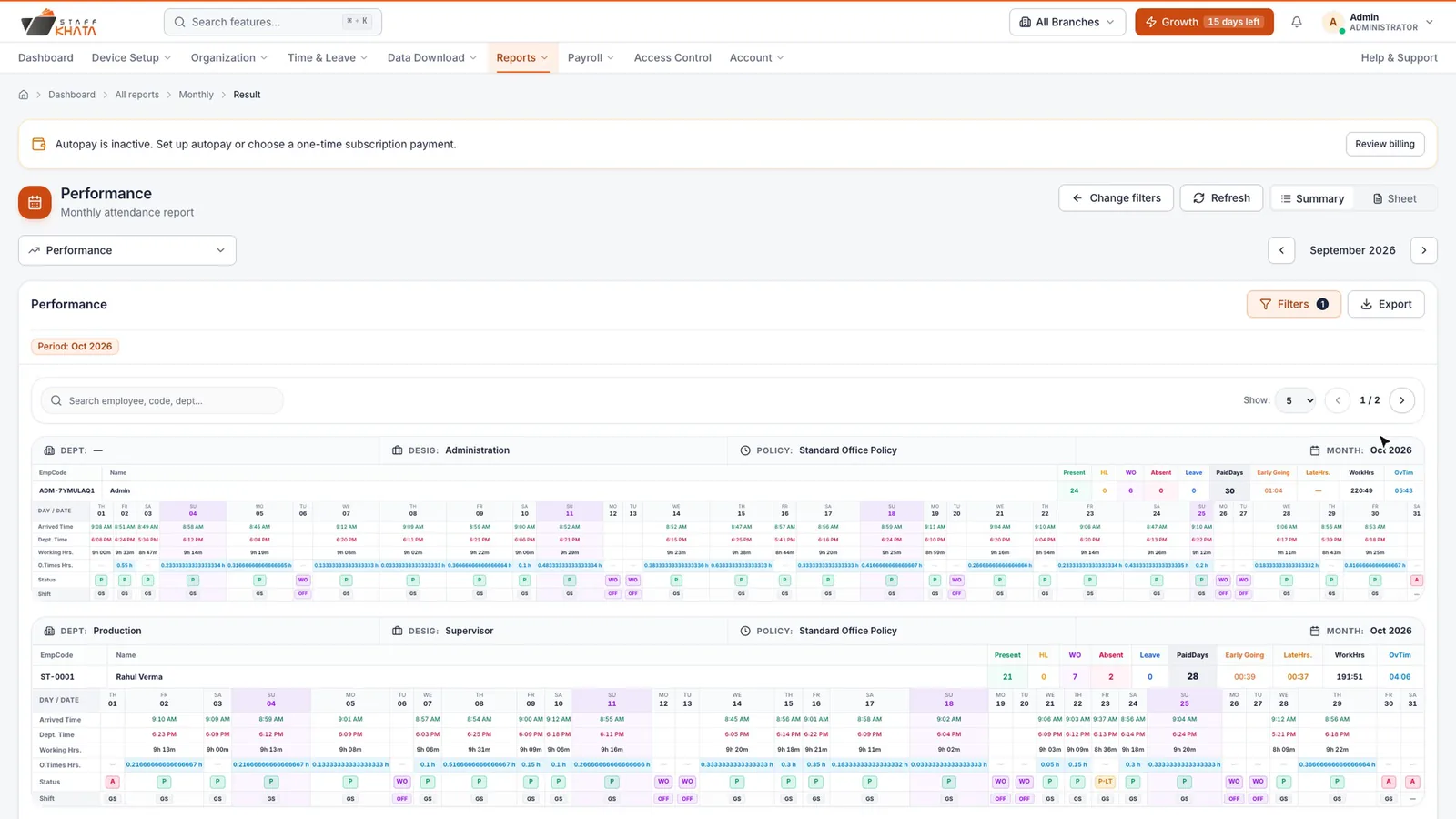
- Click Reports → Monthly.
- Choose the month, select who to include, and click Apply Filter.
- Change the report from the drop-down at the top. Useful ones:
| Report | What it shows |
|---|---|
| Performance | Each employee's present days, holidays, weekly offs, absences, late hours and paid days, day by day. |
| Attendance With Status | Each person's month, one status per day. |
| Muster Book | A ready-made attendance register in the statutory format. |
| OT Summary | Overtime hours for the month. |
| Leave Details | Leave taken in the month. |
Attendance Calendar
Click Reports → Attendance Calendar for the month as a calendar. Switch between Cards, Matrix and Sheet views, and filter by department or employee. It shows who came late, had absences or took leave.
Government Reports
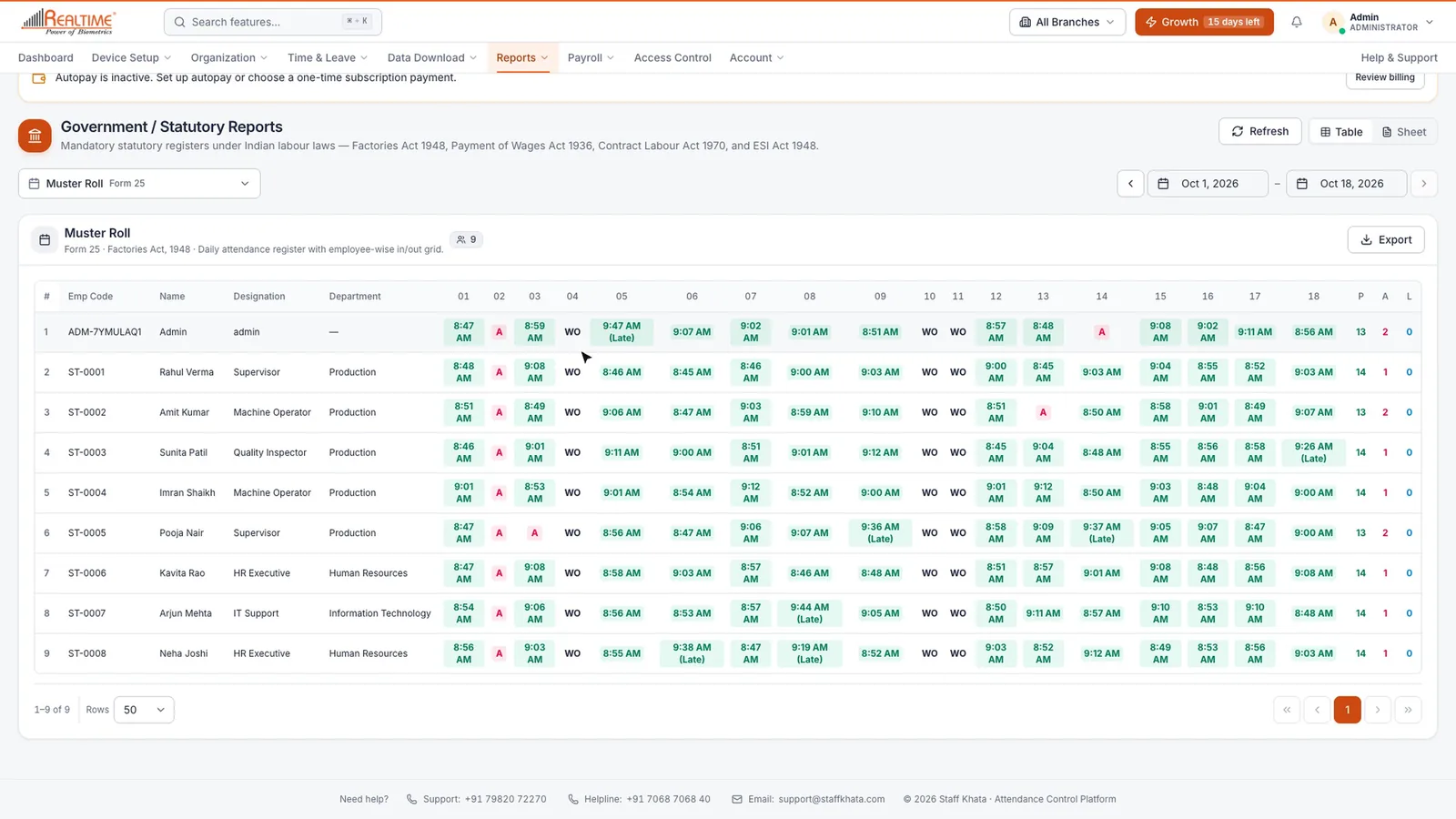
- Click Reports → Government Reports.
- Change the dates at the top. Every register updates for that period.
- Choose a register from the list.
| Register | Form | Law |
|---|---|---|
| Muster Roll | Form 25 | Factories Act, 1948 |
| Register of Adult Workers | Form B | Factories Act, 1948 |
| Leave with Wages Register | Form D | Factories Act, 1948 |
| Register of Wages | Form I | Payment of Wages Act, 1936 |
| Register of Workmen | Form XIII | Contract Labour Act, 1970 |
| ESI Register | Form 6 | ESI Act, 1948 |
The Muster Roll shows in-times, absences, leave and weekly offs for every day of the period.
AI Analysis
Click Reports → AI Analysis to see what stands out in a period: your attendance rate, present and absent days, late arrivals and overtime. Below that are Key findings in plain language, a day-by-day chart, Attendance by department, and Absences by day of week.
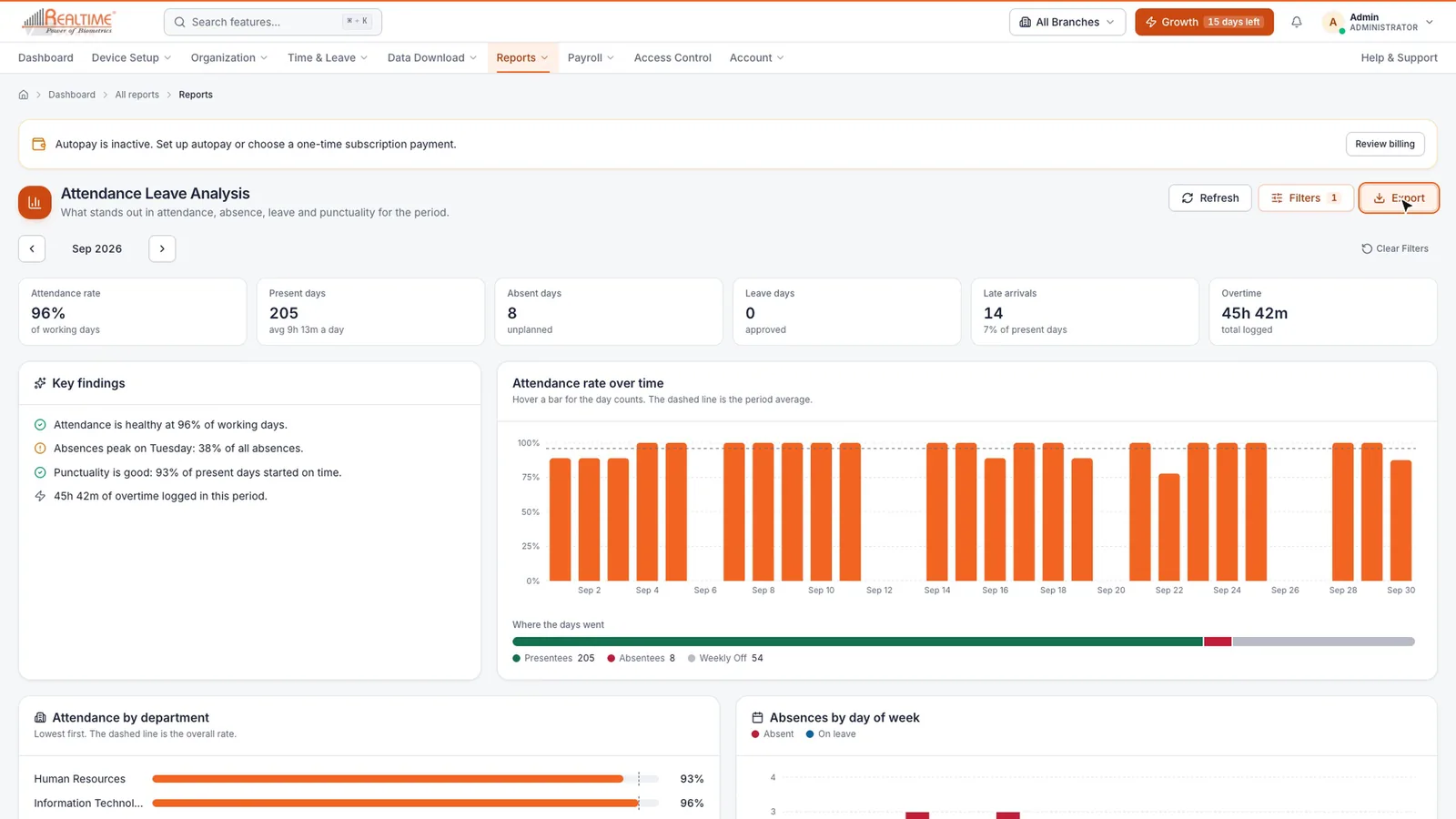
Note: AI Analysis also needs leave management on your plan.
Other reports
From All reports you can also open:
- Late comers and Present / absent for a date range.
- Overtime (needs overtime on your plan).
- Manual attendance, to review punches added by hand.
- Leave report, Device punches and Easy access.
Export, print and share
Click Export on any report and choose Excel (.xlsx), PDF (.pdf) or Sheet view / Print. In Sheet view, use the Excel, PDF and Print buttons above the sheet.
Still stuck? Raise a ticket from Help & Support inside the app, or contact us at staffkhata.com/contact.